Shared Hosting vs VPS vs Cloud Hosting: Which One Does Your Website Need?
Confused by hosting plans? Here's a plain-language guide to shared hosting, VPS and cloud hosting: how each works, what they cost, their limits, and how to pick the right one for a business website or web app.
In this article (10 sections)ShowHide
- The simple way to think about hosting
- What is shared hosting?
- A real example of shared hosting limits
- What is a VPS?
- Managed vs unmanaged VPS
- What is cloud hosting?
- Side-by-side comparison
- How to choose: 6 questions to ask
- Quick recommendations
- Signs you've outgrown your current hosting
- How to move hosting without losing anything
- Common hosting mistakes to avoid
- Quick answers
Every website lives on a computer somewhere, called a server. Web hosting is simply renting space and power on that server. The three types you'll see everywhere are shared hosting, VPS and cloud hosting, and choosing the wrong one costs you either money or speed.
This guide explains shared hosting vs VPS vs cloud hosting in plain words, using everyday comparisons, so you can pick the right plan for your website today and know when it's time to move up.
The simple way to think about hosting
Imagine you need a place to live:
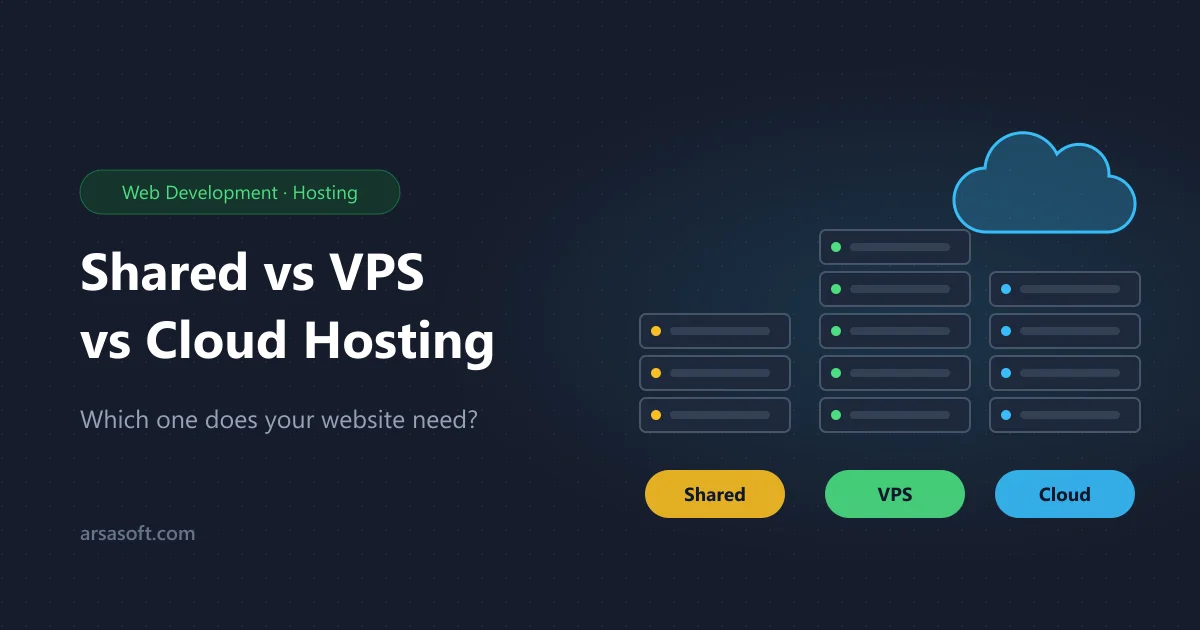
- Shared hosting is like a room in a hostel. It's cheap and everything is handled for you, but you share the kitchen and bathroom. If a neighbour throws a loud party, you hear it.
- A VPS is like your own apartment in a building. The building is shared, but your apartment has its own walls, its own kitchen and its own lock. You decide how it's set up.
- Cloud hosting is like a hotel chain that gives you more rooms the moment guests arrive. You pay for what you use, and if one building has a problem, you're moved to another.
Keep this picture in mind as we go through each one.
What is shared hosting?
With shared hosting, hundreds of websites run on the same server and share its processor (CPU), memory (RAM) and disk. The hosting company manages everything: the operating system, security updates, email and the control panel, usually cPanel or DirectAdmin.
What's good about it:
- Lowest cost. It's the cheapest way to get a website online.
- No technical work. You never touch the server itself. You upload files, create email accounts and install WordPress with a few clicks.
- Email included. Most plans include business email like [email protected].
- Good for beginners. Backups, SSL certificates and updates are often handled for you.
The limits:
- "Noisy neighbours." If another website on your server gets a traffic spike or is hacked, your site can slow down.
- Strict resource limits. Plans cap how much CPU, memory and how many processes you can use. Heavy tasks get stopped, sometimes without a clear error.
- Old software. You can only use the software versions the host has installed. If your app needs a newer version of PHP, Node.js or a system library, you have to wait for the host.
- No root access. You can't install your own software or change server settings.
Best for: company profile websites, blogs, small WordPress sites, portfolios and landing pages with modest traffic.
A real example of shared hosting limits
Modern JavaScript frameworks such as Next.js need a lot of memory while building the site, often more than a shared plan allows. On shared hosting, the build can be killed halfway through for using too much memory, or fail because the server's operating system is too old for the framework's tools. The website itself may run fine, but every update becomes a struggle. That's a typical sign you've outgrown shared hosting.
What is a VPS?
A VPS (Virtual Private Server) is one powerful physical server split into several virtual servers using special software. Each VPS gets its own guaranteed share of CPU, RAM and disk, plus its own operating system.
What's good about it:
- Guaranteed resources. The memory and CPU in your plan are yours. Other customers can't eat into them.
- Full control (root access). Install any software and any version you need: the latest Node.js, Python, Redis, Docker or a specific database.
- Better performance. Fewer limits mean faster pages, faster builds and room for background jobs.
- Better isolation. Problems on another VPS don't usually affect yours.
- Predictable price. A fixed monthly fee, which makes budgeting easy.
The limits:
- Someone has to manage it. With an unmanaged VPS, you're responsible for security updates, firewalls, backups and fixing problems.
- Fixed size. If you suddenly need more power, you have to upgrade the plan, which may mean a restart.
- Single point of failure. If the physical server fails, your VPS goes down until it's fixed or restored.
Managed vs unmanaged VPS
This is one of the most important choices:
| Managed VPS | Unmanaged VPS | |
|---|---|---|
| Who updates and secures the server | the hosting company | you |
| Control panel (cPanel etc.) | usually included or offered | install it yourself |
| Price | higher | lower |
| Best for | businesses without a server expert | developers comfortable with Linux |
If nobody on your team is comfortable with the Linux command line, choose managed. An unpatched server is a security risk, as critical bugs in PHP, Node.js and GitLab have shown again and again.
Best for: online shops, business web apps, Node.js or Next.js sites, sites with steady medium-to-high traffic, and any project that needs specific software versions.
What is cloud hosting?
Cloud hosting runs your website on a network of many servers instead of one. Big providers include AWS, Google Cloud, Microsoft Azure, DigitalOcean and platforms like Vercel or Netlify built on top of them.
What's good about it:
- Scales on demand. More power can be added in minutes, or even automatically, when traffic jumps.
- High availability. If one server fails, another takes over, so downtime is rare.
- Pay for what you use. Many services bill by the hour, by the request or by data used.
- Global reach. You can run your site close to visitors in different countries and use a CDN to serve files quickly worldwide.
- Lots of ready services. Managed databases, file storage, email sending, queues and AI tools you can plug in.
The limits:
- Costs can surprise you. Usage-based billing is great when traffic is low, but a traffic spike, a bot attack or a forgotten service can produce a big bill. Bills are usually in US dollars.
- More complex. There are many settings and services to understand. Mistakes in configuration are a common cause of data leaks.
- Payment hurdles. Some providers need an international card and may verify your identity.
Best for: fast-growing apps, SaaS products, sites with very uneven traffic, apps with users in many countries, and teams that already know cloud tools.
Side-by-side comparison
| Shared hosting | VPS | Cloud hosting | |
|---|---|---|---|
| Cost | lowest | medium, fixed monthly | low to very high, based on usage |
| Performance | basic, can vary | good and steady | excellent, scales up |
| Resources | shared with others | guaranteed to you | add more any time |
| Control | very limited | full (root) | full, with many options |
| Technical skill needed | none | medium (low if managed) | medium to high |
| Uptime if hardware fails | down until fixed | down until fixed | usually stays up |
| Email included | usually yes | with a control panel | usually separate service |
| Best for | small sites and blogs | business apps and shops | growing and global apps |
How to choose: 6 questions to ask
- What kind of site is it? A simple information site or blog is fine on shared hosting. A web app with logins, payments or dashboards usually needs a VPS or cloud.
- How much traffic do you expect? A few hundred visitors a day is easy for shared hosting. Thousands of daily visitors, or sudden spikes from ads and social media, need more.
- What software does it need? If you need a recent version of Node.js, PHP or a database that your shared host doesn't offer, you need a VPS or cloud.
- Who will manage it? No technical person? Choose shared hosting or a managed VPS. Have a developer? An unmanaged VPS or cloud gives more value.
- What's your budget, and in which currency? Shared and local VPS plans are often billed in rupees. Cloud is usually billed in dollars, which changes with the exchange rate.
- How bad is downtime for you? If an hour offline means lost orders, look for better uptime: a quality VPS with backups, or cloud with redundancy.
Quick recommendations
- New business website or blog: shared hosting.
- WordPress shop with growing sales: a managed VPS.
- Custom web app (Next.js, Laravel, Node.js): a VPS with at least 2 GB of RAM, more if you build on the server.
- SaaS or app with users in many countries: cloud hosting.
- Not sure yet: start with shared hosting, and plan to move when you hit the warning signs below.
Signs you've outgrown your current hosting
- Your site gets slow at busy times even after optimising images and plugins.
- You see errors like "resource limit reached" or "508", or builds and scripts get killed.
- You need software versions your host can't provide.
- Your host's support says "please upgrade" for most of your requests.
- You're adding features like payments, logins or APIs that need more reliability.
When you see two or more of these, it's time to plan a move.
How to move hosting without losing anything
Moving is safe if you do it in order:
- Take full backups of your files, databases and email accounts before anything else.
- Set up the new server and copy your site there. Test it using a temporary address or your computer's hosts file.
- Lower your DNS "TTL" a day before the move so the change spreads quickly.
- Move email carefully. Copy mailboxes and recreate email accounts, or move email to a separate service first.
- Switch DNS to the new server during a quiet time, such as late night.
- Install SSL on the new server and check every important page, form and payment.
- Keep the old hosting for a week or two in case anything was missed.
Many hosting companies offer free migration. Always ask whether it includes your files, databases, email, DNS records and SSL certificates, and whether your IP address or nameservers will change.
Common hosting mistakes to avoid
- Choosing only on price. The cheapest plan often has the tightest limits and slowest support.
- No backups. Your host's backups are a bonus, not a plan. Keep your own copies, ideally in a different place.
- Ignoring updates. Outdated PHP, Node.js, WordPress or plugins are the main way websites get hacked.
- Buying too much too early. A big cloud setup for a small site wastes money. Start small and grow.
- Forgetting renewal prices. First-year prices are often discounted. Check what you'll pay after that.
Quick answers
Is shared hosting bad? No. It's the right choice for many small websites. It only becomes a problem when your site needs more power or control than it allows.
Is VPS hosting faster than shared hosting? Usually yes, because your resources are guaranteed and you can tune the server. A badly configured VPS can still be slow, though.
Is cloud hosting the same as a VPS? Not exactly. Many cloud providers sell virtual servers that work like a VPS, but cloud hosting also means scaling, many locations and managed services.
Can I run Node.js or Next.js on shared hosting? Some cPanel hosts support Node.js apps, but memory limits and old system software can cause problems, especially when building the site. A VPS is more reliable for serious Node.js projects.
How much RAM does my website need? A small WordPress site runs on very little. A custom web app often needs 2–4 GB, and more if you build it on the server or run a database on the same machine.
Need help choosing hosting or moving your website safely? Talk to our team. You can also read our guide to getting a website for your business in Pakistan.